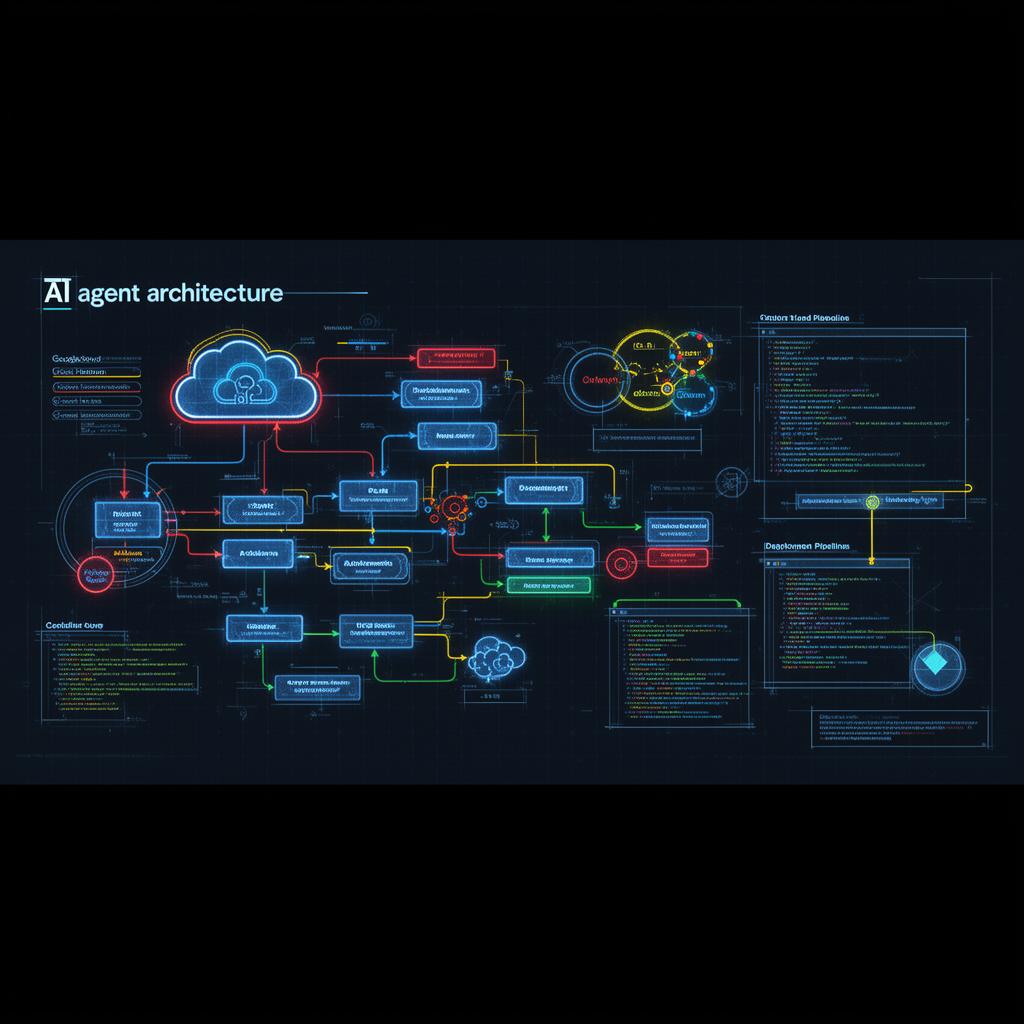
Building Your First AI Agent: From Concept to Production on GCP
A comprehensive guide to architecting, developing, and deploying AI agents using Google Cloud Platform services including Vertex AI, Cloud Functions, and Agent Builder.
The transition from experimenting with AI models to deploying production-ready AI agents represents one of the most significant leaps in enterprise AI adoption. This guide walks you through building your first AI agent on Google Cloud Platform—from initial architecture decisions to production deployment.
Understanding AI Agent Architecture
Before writing a single line of code, it's crucial to understand the fundamental components that make up an AI agent. Unlike traditional applications, AI agents operate through a continuous loop of perception, reasoning, and action.
The Agent Control Loop
Every AI agent follows a core pattern:
- Perceive: Receive input from users or environment
- Reason: Process input using LLM capabilities
- Plan: Determine which actions to take
- Act: Execute tools and functions
- Reflect: Evaluate results and iterate
On GCP, this pattern maps directly to services: Vertex AI handles reasoning, Cloud Functions execute actions, and Firestore maintains state.
Setting Up Your GCP Foundation
A production-ready agent requires thoughtful infrastructure planning. Here's the recommended architecture stack:
Core Services
- Vertex AI Agent Builder: Managed agent orchestration with built-in tool calling
- Gemini Models: Foundation models optimized for reasoning and function calling
- Cloud Run: Serverless container hosting for agent endpoints
- Firestore: Real-time database for conversation state and memory
- Cloud Functions: Lightweight tool implementations
- Secret Manager: Secure credential storage for external APIs
Project Structure
my-ai-agent/
├── agent/
│   ├── config.yaml          # Agent configuration
│   ├── prompts/              # System prompts
│   └── tools/                # Tool definitions
├── functions/
│   ├── search/               # Search tool function
│   ├── database/             # Data retrieval function
│   └── notifications/        # Alert function
├── infrastructure/
│   └── terraform/            # IaC definitions
└── tests/
    ├── unit/
    └── integration/
Building the Agent with Vertex AI
Google's Vertex AI Agent Builder provides a managed environment for creating sophisticated agents without managing the orchestration layer yourself.
Step 1: Define Your Agent's Purpose
Start with a clear system prompt that defines behavior boundaries:
You are a Cloud Operations Assistant for enterprise GCP environments.

Your capabilities include:
- Querying infrastructure status across projects
- Analyzing cost trends and anomalies
- Recommending optimization opportunities
- Creating incident tickets when issues are detected

Always verify project permissions before executing actions.
Never modify production resources without explicit confirmation.
Step 2: Implement Tools
Tools are the hands of your agent. Each tool should be atomic, well-documented, and handle errors gracefully:
// Cloud Function: get-project-metrics
import { CloudMonitoringClient } from '@google-cloud/monitoring';

export async function getProjectMetrics(req, res) {
  const { projectId, metricType, timeRange } = req.body;

  const client = new CloudMonitoringClient();
  const [timeSeries] = await client.listTimeSeries({
    name: `projects/${projectId}`,
    filter: `metric.type="${metricType}"`,
    interval: {
      startTime: { seconds: Date.now()/1000 - timeRange },
      endTime: { seconds: Date.now()/1000 }
    }
  });

  return res.json({
    success: true,
    data: timeSeries
  });
}
Step 3: Configure Tool Schemas
Precise schemas help the LLM understand when and how to use each tool:
{
  "name": "get_project_metrics",
  "description": "Retrieve monitoring metrics for a GCP project",
  "parameters": {
    "type": "object",
    "properties": {
      "projectId": {
        "type": "string",
        "description": "The GCP project ID"
      },
      "metricType": {
        "type": "string",
        "description": "The metric type (e.g., compute.googleapis.com/instance/cpu/utilization)"
      },
      "timeRange": {
        "type": "integer",
        "description": "Time range in seconds to query"
      }
    },
    "required": ["projectId", "metricType"]
  }
}
Implementing Memory and State
Production agents need persistent memory to maintain context across conversations and sessions.
Conversation Memory with Firestore
// Store conversation turns
async function saveConversationTurn(sessionId, turn) {
  const db = new Firestore();
  await db.collection('conversations')
    .doc(sessionId)
    .collection('turns')
    .add({
      ...turn,
      timestamp: FieldValue.serverTimestamp()
    });
}

// Retrieve context window
async function getRecentContext(sessionId, limit = 10) {
  const db = new Firestore();
  const turns = await db.collection('conversations')
    .doc(sessionId)
    .collection('turns')
    .orderBy('timestamp', 'desc')
    .limit(limit)
    .get();

  return turns.docs.reverse().map(d => d.data());
}
Long-term Memory Patterns
For agents that need to remember information across sessions:
- User Preferences: Store in Firestore user profiles
- Learned Facts: Index in Vertex AI Vector Search for RAG
- Action History: Log to BigQuery for analytics and replay
Production Deployment on Cloud Run
Cloud Run provides the ideal hosting environment for AI agents: automatic scaling, pay-per-use, and native GCP integration.
Dockerfile Configuration
FROM node:20-slim

WORKDIR /app
COPY package*.json ./
RUN npm ci --only=production

COPY . .

# Cloud Run sets PORT environment variable
ENV PORT=8080
EXPOSE 8080

CMD ["node", "server.js"]
Deployment with Terraform
resource "google_cloud_run_v2_service" "agent" {
  name     = "ai-agent"
  location = "us-central1"

  template {
    containers {
      image = "gcr.io/${var.project}/ai-agent:latest"

      resources {
        limits = {
          cpu    = "2"
          memory = "2Gi"
        }
      }

      env {
        name  = "VERTEX_AI_LOCATION"
        value = "us-central1"
      }
    }

    scaling {
      min_instance_count = 1  # Keep warm for low latency
      max_instance_count = 100
    }
  }
}
Observability and Monitoring
Production agents require comprehensive observability to understand behavior and catch issues early.
Key Metrics to Track
- Latency: End-to-end response time and per-tool execution time
- Token Usage: Input/output tokens per request for cost management
- Tool Success Rate: Percentage of successful tool executions
- Conversation Length: Average turns per session
- Error Rate: Failed requests and their root causes
Cloud Monitoring Dashboard
// Custom metric for tool execution
const { MetricServiceClient } = require('@google-cloud/monitoring');
const monitoring = new MetricServiceClient();

async function recordToolExecution(projectId, toolName, duration, success) {
  await monitoring.createTimeSeries({
    name: monitoring.projectPath(projectId),
    timeSeries: [{
      metric: {
        type: 'custom.googleapis.com/agent/tool_execution',
        labels: { tool_name: toolName, success: String(success) }
      },
      points: [{
        interval: { endTime: { seconds: Date.now()/1000 } },
        value: { doubleValue: duration }
      }]
    }]
  });
}
Security Best Practices
AI agents often have elevated privileges to perform actions. Security must be built in from the start:
Principle of Least Privilege
- Create dedicated service accounts per tool function
- Use Workload Identity (for GKE or Cloud Run deployments) or Service Account impersonation.
- Implement IAM conditions for time-based access
Input Validation
// Validate and sanitize all tool inputs
function validateProjectId(projectId) {
  const pattern = /^[a-z][a-z0-9-]{4,28}[a-z0-9]$/;
  if (!pattern.test(projectId)) {
    throw new Error('Invalid project ID format');
  }

  // Check against allowlist
  const allowedProjects = await getAuthorizedProjects();
  if (!allowedProjects.includes(projectId)) {
    throw new Error('Project not authorized for this agent');
  }

  return projectId;
}
Audit Logging
Log every agent action to Cloud Audit Logs for compliance and debugging:
const { Logging } = require('@google-cloud/logging');
const logging = new Logging({ projectId: yourProjectId });

await logging.log(logging.logSync('ai-agent-actions')).write({
  resource: { type: 'cloud_run_revision', labels: { service_name: 'ai-agent', revision_name: yourCloudRunRevision } }, // Populate labels for Cloud Run
  severity: 'INFO',
  jsonPayload: {
    action: toolName,
    parameters: sanitizedParams,
    userId: authenticatedUser, // Ensure this is securely obtained if used
    sessionId: sessionId,
    result: 'success'
  }
});
Testing Strategies
AI agents require unique testing approaches due to their non-deterministic nature.
Unit Tests for Tools
Each tool should have comprehensive unit tests with mocked dependencies:
describe('getProjectMetrics', () => {
  it('should return CPU metrics for valid project', async () => {
    const mockClient = { listTimeSeries: jest.fn().mockResolvedValue([mockData]) };

    const result = await getProjectMetrics({
      projectId: 'test-project',
      metricType: 'compute.googleapis.com/instance/cpu/utilization'
    }, mockClient);

    expect(result.success).toBe(true);
    expect(result.data).toHaveLength(1);
  });
});
Integration Tests with Agent Builder
Test the full agent loop with predefined scenarios:
const testScenarios = [
  {
    input: 'What's the CPU usage for project prod-app?',
    expectedTools: ['get_project_metrics'],
    validateResponse: (r) => r.includes('CPU') && r.includes('%')
  },
  {
    input: 'Create an incident for high memory usage',
    expectedTools: ['get_project_metrics', 'create_incident'],
    validateResponse: (r) => r.includes('incident') && r.includes('created')
  }
];
Cost Optimization
Production AI agents can become expensive without proper cost controls:
- Use Gemini Flash: For routine tasks, use faster/cheaper models
- Implement Caching: Cache frequent tool responses in Memorystore
- Set Token Limits: Cap maximum tokens per request
- Batch Operations: Combine multiple tool calls when possible
- Auto-scaling Policies: Scale to zero during off-hours for dev environments
Next Steps
You now have the foundation to build production-ready AI agents on GCP. As you progress:
- Start with a single, well-defined use case
- Implement comprehensive logging from day one
- Build your tool library incrementally
- Establish evaluation metrics before scaling
- Plan for human escalation paths
In our next article, we'll explore multi-agent architectures—coordinating multiple specialized agents to tackle complex enterprise workflows.